For Middle-aged people
Learning is no longer limited to classrooms or school years. In today’s fast-changing world, continuous learning has become essential for both professional growth and personal well-being.
For middle-aged adults, electronic learning tools offer an accessible way to keep the brain active, acquire new skills, and adapt to global opportunities.
Whether it’s improving a foreign language, understanding international business materials, or simply maintaining mental sharpness, modern technology provides powerful support.
Electronic educational devices are now widely used by adults who want to:
Stay competitive in evolving industrie
Improve language skills for travel or business
Maintain cognitive vitality and memory strength
Read and process information more efficiently
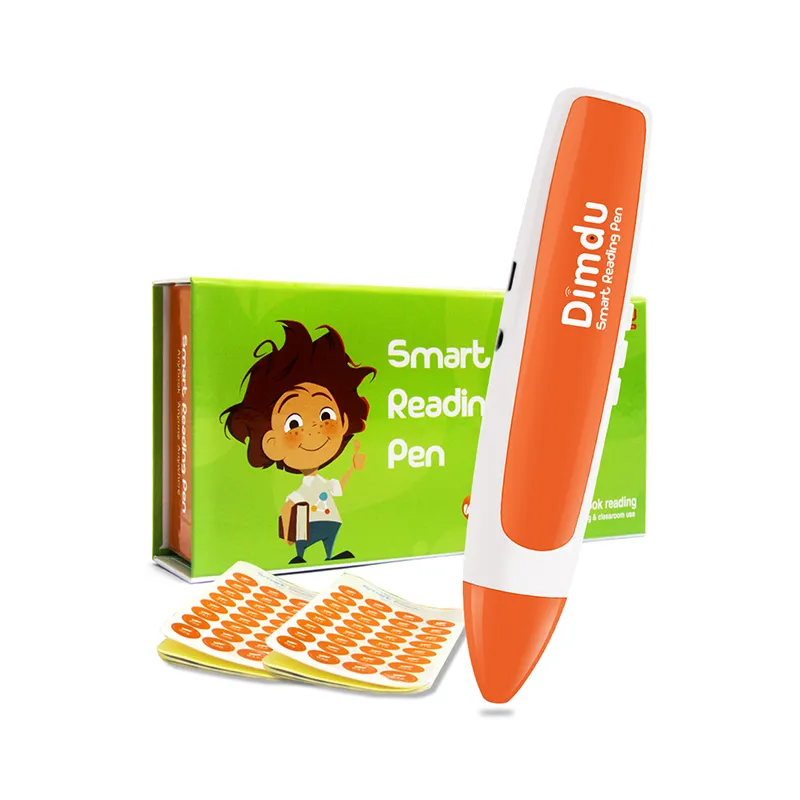
Devices like smart reading pens and translation pens make learning easier by combining instant feedback, voice assistance, and real-time word recognition.
Instead of spending time searching dictionaries or translation apps, users can access information immediately, allowing them to learn naturally during everyday reading.
For many middle-aged professionals, these tools have become practical companions for lifelong learning.
In today’s global economy, industries evolve quickly. Skills that were valuable ten years ago may no longer be enough to remain competitive.
This reality has created a common challenge for professionals in their 40s and 50s: adaptation.
Those who continue learning tend to stay relevant in their careers, while those who stop updating their skills may gradually fall behind.
Lifelong learning is no longer optional—it is a key strategy for professional resilience.
However, the benefits extend beyond career advancement.
Research consistently shows that continuous learning helps support long-term cognitive health. Activities such as reading, language learning, and problem-solving stimulate the brain and can help maintain memory and mental flexibility.
Electronic learning tools provide a convenient way for adults to integrate learning into daily life.
Instead of attending formal classes, users can practice skills through:
Reading international articles or reports
Learning new vocabulary while commuting
Listening to audio explanations while reviewing documents
This flexible learning approach allows middle-aged adults to grow intellectually without disrupting their busy schedules.
For professionals who travel frequently or collaborate internationally, language barriers can create unnecessary obstacles.
Reading contracts, technical documents, restaurant menus, or industry materials in another language often requires switching between multiple apps or translation tools.
Smart scanning pens simplify this process dramatically.
By simply scanning a word or sentence, users can receive instant translation and pronunciation feedback, helping them understand foreign content in seconds.
This capability is particularly useful in situations such as:
Reviewing international business documents
Reading industry reports in another language
Navigating foreign menus or travel information
Communicating more effectively with global partners
For business travelers, these devices provide a fast and discreet way to access language support without interrupting conversations or meetings.
Instead of relying on slow manual translation, professionals can maintain confidence and efficiency in multilingual environments.
As people grow older, many notice that reading long documents or absorbing large amounts of information becomes more tiring than before.
Modern educational devices can help reduce this cognitive burden.
One of the most helpful features is Text-to-Speech (TTS) technology.
TTS allows written text to be converted into natural audio, enabling users to listen to documents instead of only reading them visually.
This function offers several advantages:
Reduces eye fatigue when reading long articles
Reinforces comprehension through audio learning
Supports multitasking during study or review
Another powerful feature is instant word lookup.
When encountering unfamiliar terminology, users can immediately scan the word to receive definitions, translations, or pronunciation guidance.
This instant feedback improves vocabulary retention and memory reinforcement, making learning more efficient and enjoyable.
Instead of interrupting the reading process, users remain fully engaged with the content.
Many people initially assume that smartphone apps can replace specialized learning devices. However, dedicated educational tools offer several important advantages.
Smartphones are designed as multifunction entertainment platforms, which means notifications, messages, and social media constantly compete for attention.
This can make focused learning difficult.
Dedicated learning tools, on the other hand, are built with simplicity and purpose in mind.
Their advantages include:
Focused Learning Environment
Without distractions from social media or notifications, users can concentrate fully on reading and language learning.
Simple and Intuitive Operation
Most scanning pens require only a few basic actions—simply scan a word or sentence to receive instant feedback.
There is no need to install complex apps or navigate complicated settings.
Faster Information Access
Dedicated devices are optimized for quick word recognition and translation, allowing users to obtain information much faster than typing into a smartphone app.
For middle-aged users who prefer straightforward, practical technology, these tools provide a far more comfortable learning experience.
Below are some frequently asked questions from adults exploring electronic learning tools.
Is it too late to learn a new language at age 50?
Absolutely not.
While children may acquire languages more quickly, adults have advantages such as stronger analytical skills, richer vocabulary knowledge, and better learning discipline.
Modern learning tools make language acquisition even more accessible.
Reading pens and translation devices provide instant feedback on pronunciation, vocabulary, and meaning, allowing learners to correct mistakes immediately.
This immediate response significantly lowers the learning barrier and helps adults build confidence as they practice reading and speaking a new language.
With consistent exposure and the right tools, many adults successfully develop new language skills well into their later years.
How can a reading pen help professionals with foreign language documents?
For professionals who frequently encounter foreign language materials, a reading pen can dramatically improve both speed and accuracy.
Instead of manually typing words into translation apps, users can simply scan the text to receive immediate results.
This is especially useful when reading:
Business contracts
Technical manuals
Industry reports
Academic research papers
Because scanning pens are designed for text recognition, they often deliver more accurate word identification than camera-based translation apps, which can struggle with formatting or lighting conditions.
The result is faster comprehension and more efficient document review.
Are these devices easy to use for someone who isn't “tech-savvy”?
Yes. Most smart reading pens are specifically designed to be extremely user-friendly.
Unlike complex digital tools that require multiple steps to operate, scanning pens typically work with a simple process:
Turn on the device
Scan a word or sentence
Hear the pronunciation or translation instantly
This straightforward interaction makes the device accessible even for users who are not comfortable with advanced technology.
Many adults appreciate this simplicity because it allows them to focus on learning rather than managing complicated software.







 Add to Cart